アクセス キャンパスマップ サイトマップ サイト内検索 MENUを開く 利用案内貸出期間や冊数などの条件や、利用者別の利用可能なサービスを説明しています。 資料を探す学内・学外の資料の探し方を説明しています。 利用者サービス利用者が利用できるサービスについて説明しています。 図書館について図書館の歴史や各図書館の設備、コレクションなどを紹介しています。
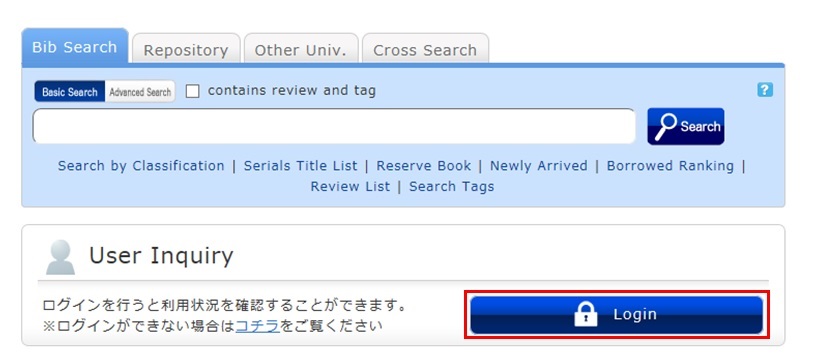
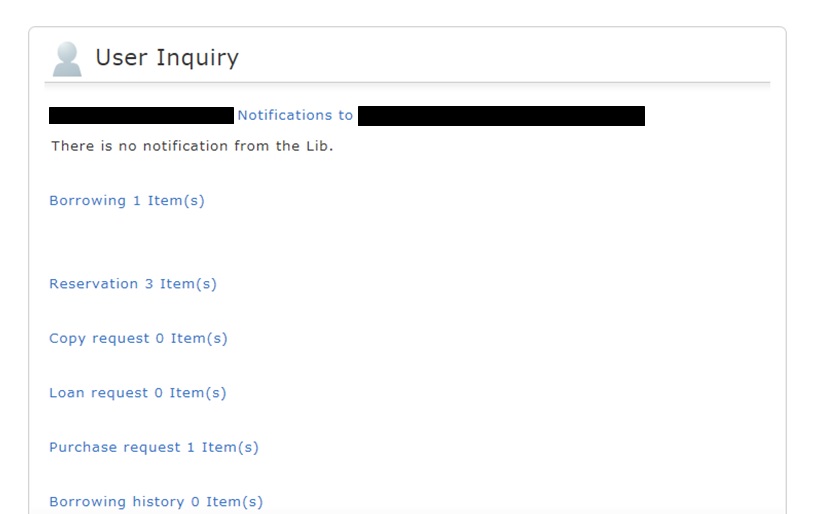
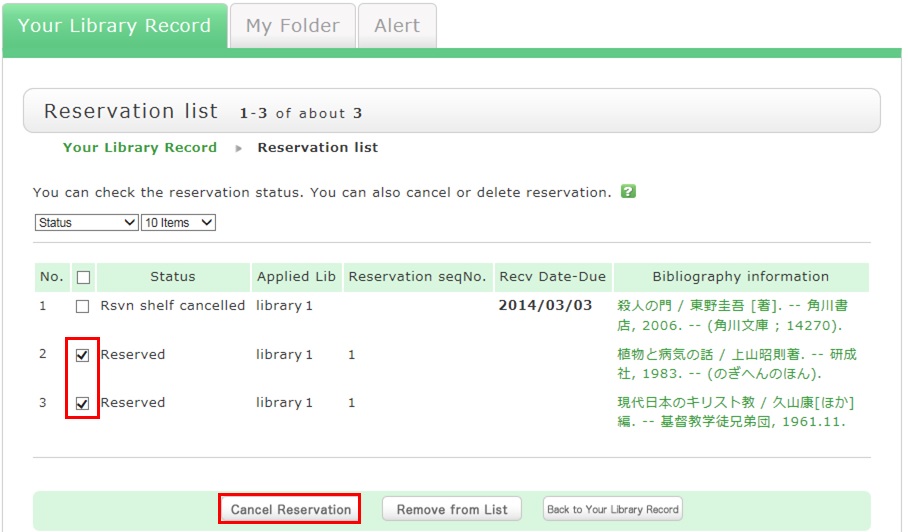
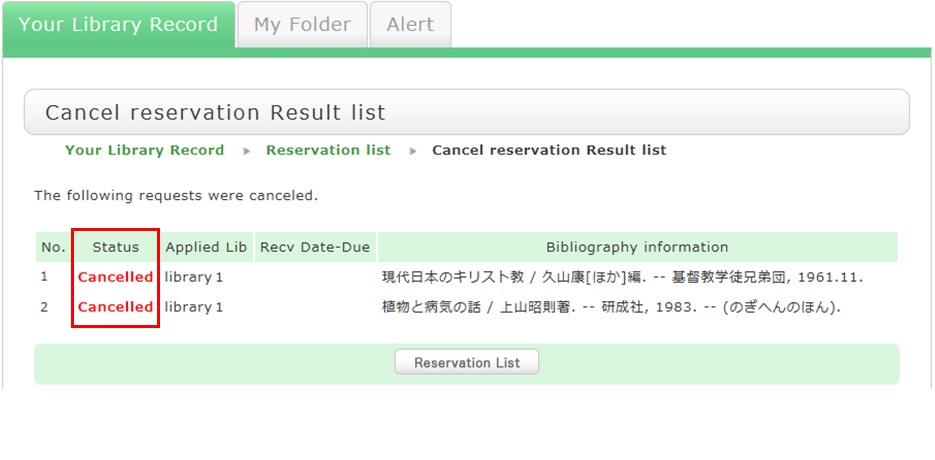
How do I cancel a reservation? カテゴリ: 1.2. How to Find, Borrow, and Reserve Books When you want to cancel a reserved material, you can delete the reservation from OPAC. 1. Log in to OPAC. 2. Click "Reservation" from User Inquiry on the OPAC top page. 3. The reservation list screen appears. Place a check mark beside the material whose reservation you want to cancel, and click [Cancel Reservation]. 4. Click [OK] in the pop-up. 5. "Canceled" appears under Status upon the completion of the reservation cancellation.
When you want to cancel a reserved material, you can delete the reservation from OPAC. 1. Log in to OPAC. 2. Click "Reservation" from User Inquiry on the OPAC top page. 3. The reservation list screen appears. Place a check mark beside the material whose reservation you want to cancel, and click [Cancel Reservation]. 4. Click [OK] in the pop-up. 5. "Canceled" appears under Status upon the completion of the reservation cancellation.







 サイト内検索